
SPRUNKE.MSI Final Update



![[FINAL UPDATE] Sprunke Phase 8 Conbienjoyer's Take](https://data.sprunke.io/sprunke-phase-8-conbienjoyers-take-final-update/cover.avif)


![Sprunke Yandere Moch [UPD 17.0]](https://data.sprunke.io/sprunke-yandere-moch-upd-17/cover.avif)
![Sprunke Garnold's Joy Phase 3 [OFFICIAL]](https://data.sprunke.io/sprunke-garnolds-joy-phase-3-official/cover.avif)


![[POLO 6 HORROR UPDATE] Sprunke PLUS](https://data.sprunke.io/polo-6-horror-update-sprunke-plus/cover.avif)


![[MR SUN UPDATE] Sprunke PLUS](https://data.sprunke.io/mr-sun-update-sprunke-plus/cover.avif)








![Sprunke Reversed Phase 4 [AFTERMATH]](https://data.sprunke.io/sprunke-reversed-phase-4-aftermath/cover.webp)

![Sprunke Reversed Phase 7 [OFFICIAL]](https://data.sprunke.io/sprunke-reversed-phase-7-official/cover.avif)
What is SPRUNKE.MSI Final Update?
SPRUNKE.MSI Final Update is the culminating release of DylanTheWolf's fan-made Sprunki mod, built on the Incredibox drag-and-drop formula but stripped of its cheerful polish. MSI stands for Missing Sound Interface — a fitting name for a mod where audio feels deliberately broken, clipped, and half-corrupted from the first load screen.
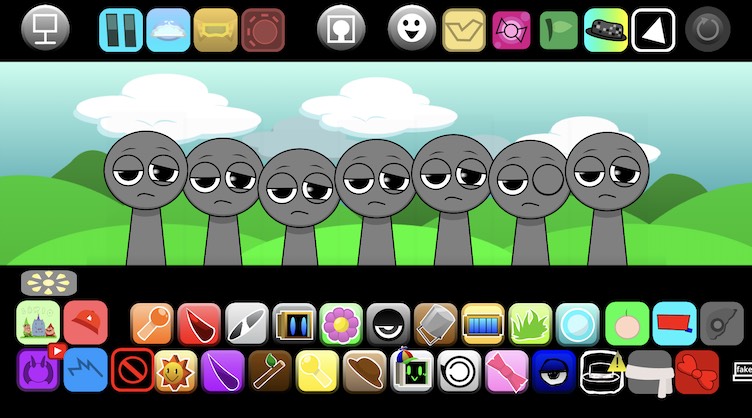
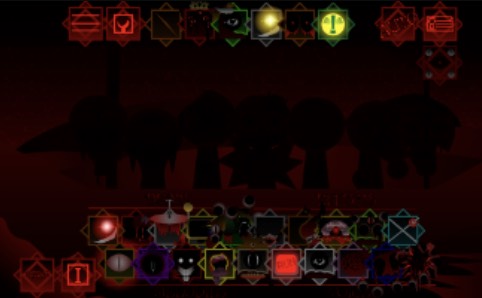
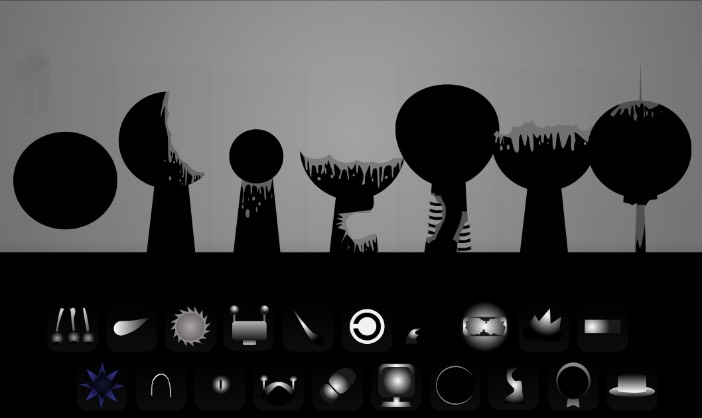
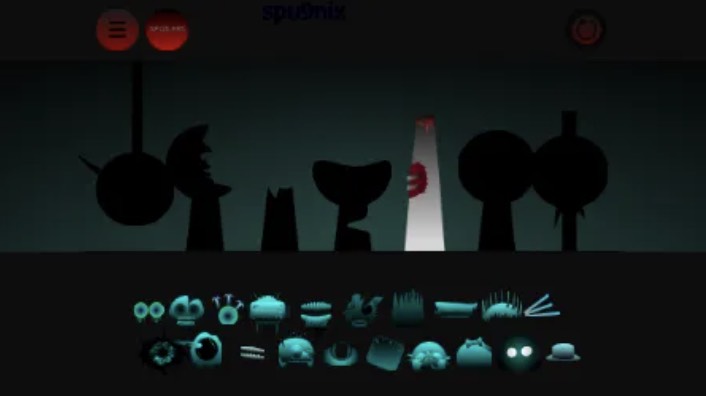
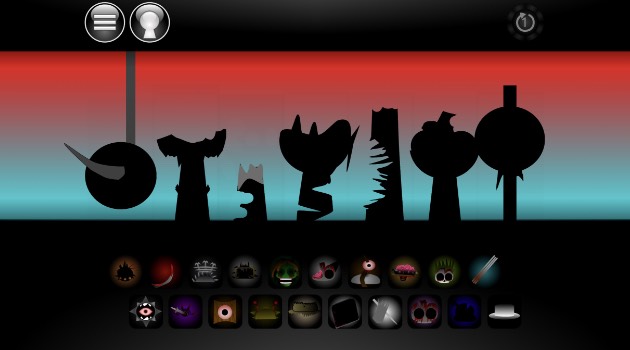
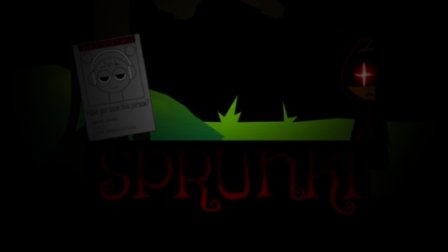
Unlike standard Sprunki phases with bright colors and clean loops, SPRUNKE.MSI Final Update drops players into a dusky, cloudy stage where seven gray avatars wait beneath a sky that feels like a crashed operating system. Characters flicker, distort, and pulse with digital static. Every sound loop arrives warped or dissonant, turning even a simple three-slot mix into something unsettling and hypnotic.
The Final Update tag marks the mod's last official polish pass — refined animations, smoother drag-and-drop response, and stabilized glitch effects that earlier builds sometimes rendered inconsistently. For fans who followed MSI from its Cocrea debut through community recreations on itch.io and sprunki.cool, SPRUNKE.MSI Final Update is the definitive version to experience.
How to Play SPRUNKE.MSI Final Update?
Playing SPRUNKE.MSI Final Update follows familiar Sprunki mechanics with a corrupted twist:
- Load the game in your browser — no download or account required. Allow 30–45 seconds on first boot while samples and glitch animations cache.
- Survey the sound toolbar — SPRUNKE.MSI Final Update provides 26 labeled sounds split across beats, melodies, voices, and effects. Icons along the bottom and top bar replace guessing with intentional layering.
- Drag icons onto the seven gray avatars — each slot accepts one sound layer. Characters react with glitch animations as loops begin.
- Experiment with dissonant combinations — unlike clean Sprunki mods, messy stacks often sound better than tidy grooves in SPRUNKE.MSI Final Update.
- Discover hidden interactions — pairing specific character-sound combos unlocks secret visual glitches and bonus audio fragments unique to the Final Update build.
- Mute and unmute layers freely — isolate corrupted beats to hear how individual loops warp before recombining them into a full track.
Headphones are strongly recommended. The clipped highs and heavy lows that define SPRUNKE.MSI Final Update lose impact on laptop speakers.
Game Features of SPRUNKE.MSI Final Update
Glitch-Infused Visual Design Backgrounds ripple with static, scan lines, and color-channel splits. Characters do not sit still — they jitter, fragment, and occasionally desync from their audio loops, reinforcing the Missing Sound Interface theme.
26 Corrupted Sound Layers The Final Update preserves the full 26-sound bank: roughly twenty icons along the bottom toolbar and six along the top, categorized as beats, melodies, voices, and effects. Each sample feels intentionally damaged — stuttering hi-hats, stretched vocal fragments, and basslines that clip on purpose.
Seven MSI-Styled Avatars Gray, expressionless figures serve as blank canvases for corruption. Bios accessible behind each avatar offer quick lore reads on their MSI-styled identities without breaking the dark atmosphere.
Dynamic Real-Time Feedback SPRUNKE.MSI Final Update responds to every drag action with immediate visual and auditory shifts. The stage darkens, flickers intensify, and audio layers phase in and out as you build your mix.
Final Update Stability Pass Version refinements in SPRUNKE.MSI Final Update fix animation desync bugs, reduce load-time crashes, and smooth the drag-and-drop interface — quality-of-life improvements that earlier MSI builds lacked.
Browser-Only Accessibility Play instantly on sprunki.cool, sprunki.org, or community mirrors. Zero installs, zero paywalls.
Why Play SPRUNKE.MSI Final Update?
SPRUNKE.MSI Final Update occupies a unique niche in the crowded Sprunki mod ecosystem. Where mods like Sprunki Rejoyed lean playful and Sprunki Mustard goes comedic, MSI commits fully to experimental darkness.
Music creators who enjoy Aphex Twin-style glitches, vaporwave corruption, or Incredibox horror-mode aesthetics will find SPRUNKE.MSI Final Update immediately satisfying. The mod rewards curiosity over precision — there is no "correct" mix, only increasingly chaotic ones.
The Final Update also matters historically. DylanTheWolf's original MSI became one of the most referenced glitch mods in the Sprunki community. Playing the polished final build lets you experience the mod as its creator intended before fan recreations fragmented the experience across multiple platforms.
If you have exhausted standard Sprunki phases and want a mod that treats broken audio as a feature rather than a bug, SPRUNKE.MSI Final Update delivers exactly that.
Character Design of SPRUNKE.MSI Final Update
Character design in SPRUNKE.MSI Final Update deliberately rejects the colorful personality of classic Sprunki cast members like Oren, Wenda, or Jevin. The seven avatars appear as muted gray silhouettes — almost placeholder figures — which makes the glitch effects hitting them feel more jarring.
When a sound icon attaches to an avatar, the character does not transform into a themed performer. Instead, the figure corrupts: pixels scatter, limbs offset by a few frames, and color bleeds in from edges like a failing CRT monitor. This design choice reinforces the Missing Sound Interface concept — these are not characters with stories, but vessels for damaged data.
Each avatar maps to a sound category, and the Final Update adds subtle visual distinctions between beat-carriers, melody-carriers, and vocal-carriers through flicker frequency and static density rather than costume changes. Players who read the behind-the-avatar bios discover fragmented lore snippets suggesting these figures are echoes of original Sprunki characters trapped in a corrupted save file.
The absence of a horror-mode toggle (no black top-hat trigger) keeps SPRUNKE.MSI Final Update in permanent unease rather than sudden shock — a sustained glitch nightmare rather than a mode switch.
Tips and Strategies for SPRUNKE.MSI Final Update
Start with one beat and one effect before adding melody. SPRUNKE.MSI Final Update sounds overwhelming when all seven slots fill instantly. Build corruption gradually.
Use mute toggles to audition layers. Solo a clipped vocal against a clean beat to find combinations that clash productively rather than collapse into noise.
Wait for full load before placing icons. Early placement during the caching animation can cause samples to trigger incorrectly or skip entirely.
Pair opposite categories for hidden unlocks. Beat + voice pairings and melody + effect pairings most frequently trigger secret glitch animations in the Final Update build.
Embrace dissonance. If a combination sounds "wrong" by traditional music standards, it is probably correct for SPRUNKE.MSI Final Update. Lean into the wrongness.
Record your sessions externally. The mod does not always offer reliable built-in save features across all hosting mirrors. Screen-record or use browser audio capture to preserve standout mixes.
Adjust browser zoom if animations stutter. Lower zoom levels sometimes reduce rendering load on weaker devices without sacrificing audio quality.
Community Engagement of SPRUNKE.MSI Final Update
SPRUNKE.MSI Final Update sits at the center of one of the most active remix threads in the Sprunki modding community. Since DylanTheWolf's original release, fans have produced recreations (Ralphie630's itch.io port), alternate takes (Spider-Plays' V4.0 build on sprunki.cool), and reaction videos across YouTube and TikTok showcasing increasingly unhinged glitch mixes.
Community members share combo discoveries on Discord servers dedicated to Sprunki modding, posting screenshots of rare visual glitches unlocked through specific sound sequences. The "Missing Sound Interface" naming convention has itself become a meme — fans apply "MSI treatment" to other mods as shorthand for adding corruption aesthetics.
The Final Update release sparked tribute posts from creators who credit MSI as inspiration for their own glitch-phase mods. Sprunki MSI 2.0 (Multiverse Sound Invasion) extends the concept into multiverse-themed chaos, but purists consider SPRUNKE.MSI Final Update the canonical corrupted experience.
Fan art depicting the seven gray avatars mid-glitch frequently appears on DeviantArt and Twitter/X, often tagged alongside #SprunkiMSI and #MissingSoundInterface.
Glitch Aesthetic FAQ
What does MSI stand for in SPRUNKE.MSI Final Update? MSI stands for Missing Sound Interface — a name reflecting the mod's core concept of deliberately broken, corrupted audio loops and glitch-damaged visuals.
Who created SPRUNKE.MSI Final Update? The original mod was developed by DylanTheWolf. The Final Update has been ported and refined by community creators including Spider-Plays and Ralphie630 across different hosting platforms.
How many sounds are in SPRUNKE.MSI Final Update? The mod features 26 labeled sounds organized into beats, melodies, voices, and effects, distributed across the bottom and top toolbars.
Is SPRUNKE.MSI Final Update free to play? Yes. The mod runs entirely in web browsers with no download, login, or payment required.
Does SPRUNKE.MSI Final Update have a horror mode? No traditional horror-mode toggle exists. The entire mod maintains a sustained dark, glitch-corrupted atmosphere without mode switching.
Why is it called the Final Update? The Final Update designation marks the last planned polish pass — bug fixes, animation refinements, and stability improvements that conclude the mod's active development cycle.